


Number Locator- Call Location
4.3386.00 Reviews
App Specs
- Version
- 2.54
- Updated On
- License
- Free
- Downloads
- 10,000,000+
- Developer
- Averroes Studios
- Categories
- Maps & Navigation
- Platform
- Android
Screenshots
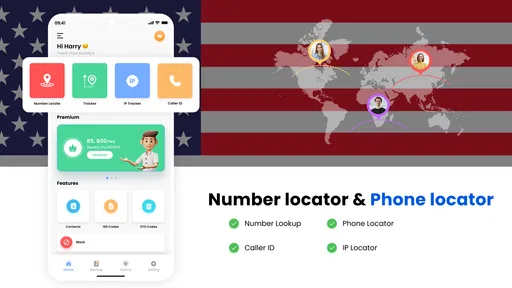
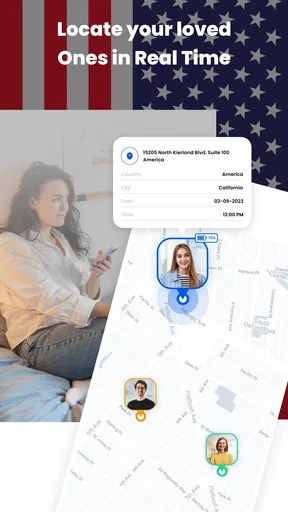
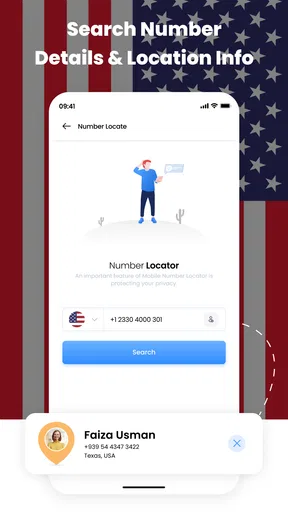
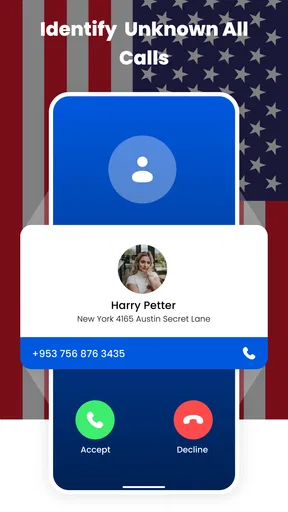

 Analysis by AppCompare
When an unfamiliar number appears on my screen, my first move is not to call it back. I’d rather get a little context before deciding whether it deserves my attention. Number Locator-Call Location is built for that quick check: it aims to show a broad location and carrier information for a number, making it a lightweight companion for people who regularly receive calls they don’t recognize.
I see its most sensible role as an extra clue, not a way to identify a caller with certainty. A regional result can help me judge whether a call might be relevant, but it cannot establish who is on the other end or where they are right now. Keeping that distinction in mind makes the app more useful and helps avoid treating a rough location as proof.
A practical routine for checking an unfamiliar number
The app’s central workflow is simple: enter a number, search, and review the location and carrier details it returns. I’d use it after a missed call, before returning a number that looks unfamiliar, or when I want to compare a result with the context I already have. The useful habit is to pause at the result and ask what it actually tells me: a general area is a clue, not a name, exact address, or live position.
For a realistic example, imagine I’m waiting for a delivery and receive a call while I’m away from my phone. I can check the number’s broad location and carrier, then weigh that alongside any message or other information the caller left. If the result seems unrelated, I can wait for a voicemail rather than calling back immediately. That small workflow reduces guesswork without asking the app to do more than number lookup.
Getting Started with Number Locator-Call Location
First things first, downloading and setting up Number Locator-Call Location is a breeze. Head over to the Google Play Store or the Apple App Store, hit that download button, and voila! Once installed, the app greets you with a clean and intuitive interface that even your grandma could navigate. Seriously, it’s that straightforward!
The app doesn’t waste your time with unnecessary frills. It gets straight to the point, offering a simple search bar where you can input any phone number you’re curious about. The moment you tap "search," the magic begins. In a few seconds, you get a detailed rundown of the number’s location. It's like having a GPS for phone numbers.
What the location result can—and cannot—tell you
It helps to separate number-area information from device tracking. A location attached to a phone number should not be read as the caller’s current physical location. Numbers can be used away from their original area, and a broad regional match may be of limited value for mobile calls. I would not use this result to locate a family member, recover a lost phone, or make a safety decision that depends on knowing someone’s exact whereabouts.
Worth Reading Before You Choose

Flipboard Shows What News Apps Must Do Beyond the Feed

Switching to Android Auto Means Rethinking Your Driving Routine

Google Calendar Makes a Crowded Week Easier to Manage

Ludo King Makes the Most of the Minutes Between Plans

Baby Panda World Brings Quick Play to Modern Phones, but Its Game Library Feels Busy

ESPN’s Live Game View Makes Following Close Games Easier
That limitation also shapes how I compare the app with familiar alternatives. A caller-ID or spam-filtering tool is usually the better first stop when my main question is whether a call is suspicious. A maps app is the right choice when I need directions or a place’s current position. This app occupies a narrower space: it offers number-related context, so it can complement those tools, but it is not a replacement for either one.
Features That Make a Difference
Now, let's talk about what makes this app stand out. First off, the accuracy of the location tracking is pretty impressive. It's not going to pinpoint the exact street address, but it gets you a general area, which is usually all you need. The app also provides the service provider info, which can be super handy if you’re dealing with unknown numbers.
Another killer feature is the call history analysis. It doesn't just track new numbers; it can delve into your call log and highlight numbers that are often called or received, giving you insights into your phone habits. Who knew you were calling your pizza place that often?
And for those who love a bit of customization, the app allows you to set up personalized notifications. Maybe you want to be alerted every time a number from a specific area code calls you. Easy peasy. It’s like having a little security guard for your contacts.
Settings and habits that make it more useful
I’d begin with a focused test rather than changing every option at once. Search a number I already recognize, then compare the displayed area and carrier with what I know. That gives me a personal reference point for interpreting later results. If I try notifications, I’d choose only an area code I have a clear reason to watch; broad alerts can quickly become noise, especially if I receive calls from several regions.
Call-history analysis can also be more useful as a periodic check than as something to inspect after every conversation. Looking for repeated numbers may help me notice a pattern, but frequency alone does not say whether a call is welcome, important, or unwanted. I’d use the history as a prompt to review my own calling habits, not as a verdict about another person.
One practical trade-off is that features tied to call history or notifications may depend on the access and settings available on the device. I would review any permission prompt before agreeing and only enable what supports the way I plan to use the app. If I only want to look up numbers manually, I would keep the setup narrow; that is easier to understand and avoids turning a quick lookup tool into something that constantly interrupts me.
Who benefits most, and who should choose another tool
I can see this being useful for someone who gets occasional calls from unfamiliar numbers and wants one more piece of context before responding. It may also suit people who like reviewing recurring calls or keeping an eye on a particular regional prefix. The best results come when the user is comfortable treating the output as an indication rather than a definitive identity check.
I’d skip it if the goal is to block every scam call automatically, identify a caller by name with high confidence, or track a phone’s live position. Those jobs require different capabilities, and assuming a number-location result can do them could create false confidence. For blocking, I’d look at the phone’s own call controls or a dedicated spam tool; for navigation, I’d use a standard maps app.
There is also a useful boundary for privacy-minded users: before enabling call-related options, consider whether their convenience is worth granting the requested access. I prefer to start with manual searches, then add a setting only if I can explain exactly what problem it solves. That approach makes it easier to stop using a feature that does not earn its place in my routine.
Is It Worth the Hype?
So, is Number Locator-Call Location worth downloading? In my humble opinion, absolutely. Whether you're looking to track down prank callers or just want to know more about the numbers popping up on your screen, this app has you covered. It’s reliable, user-friendly, and doesn’t bombard you with ads, which is a huge plus in my book.
It is a free Maps & Navigation app from Appstark Tech, with optional in-app purchases ranging from $1.09 to $12.99 per item. It has a 3.9 average from around 16,000 ratings, and more than 10 million installs. Those figures suggest plenty of people have tried it, but I’d still judge it by whether its modest lookup workflow matches my needs rather than by popularity alone. Its Everyone content rating makes it broadly accessible, while the current version is 2.46 and the minimum operating system is 7.0.
One question people often have is whether a lookup can settle who called. I wouldn’t rely on it for that: location and carrier are context, not caller verification. Another is whether it replaces a caller-ID or navigation app; for me, it does neither. It can sit alongside them when I want number-area information, while those alternatives remain better for identifying likely spam or finding a route.
Cost is another reasonable consideration. Since the app is free to install but offers purchases, I’d try the basic lookup workflow first and avoid paying for anything until I know which option I need. I would also check the purchase details in the app before confirming, rather than assuming every capability is included at no cost.
Using it without overtrusting it
The strongest repeatable pattern is simple: search, read the result cautiously, compare it with independent context, and decide whether any response is needed. If a caller leaves no message and I have no reason to expect a call, I can wait. If I’m expecting a delivery or appointment, I can use the broad area as one small clue, then verify through the information I already trust.
This approach matters because a location result can look more precise than it is. The word “location” naturally suggests a point on a map, but number lookup is not the same as tracing a handset. I would never share a result as proof of someone’s whereabouts, and I would not use it to confront a caller. The app is at its best when it supports a low-stakes decision, such as whether to return a missed call or simply leave it alone.
For people who receive only a handful of unknown calls, the phone’s built-in recent-call screen may already be enough. Number Locator makes more sense when I repeatedly want area and carrier context or find the history and alert options useful. That distinction keeps expectations grounded: it is a specialist add-on, not a must-have for every phone owner.
Final Thoughts
In conclusion, Number Locator-Call Location is a fantastic tool for anyone curious about the numbers that light up their phone screen. It's simple, efficient, and does exactly what it promises. Whether you’re tech-savvy or a bit of a technophobe, this app makes life a little easier and a lot more interesting.
So next time you’re scratching your head over a random number, remember, you’ve got the power of Number Locator-Call Location right at your fingertips. Give it a try; you might just find it becomes an essential part of your digital toolkit.
My recommendation is to approach it as a quick reference, not a detective service. Start with manual searches, be selective about alerts and call-related access, and let other tools handle spam blocking, identity checks, and directions. If that limited but practical role fits how you deal with unfamiliar calls, it is worth trying; if you need certainty or live tracking, choose a service designed for that instead.
Pros
- Accurate location tracking for unknown numbers.
- Simple and intuitive user interface.
- Supports multiple languages for global use.
- Lightweight app with minimal battery usage.
- Provides caller ID and call blocking features.
Cons
- Requires internet connection for best results.
- Limited features in the free version.
- May show ads frequently during use.
- Some locations may not be up-to-date.
- Not all numbers can be accurately traced.
FAQs for Number Locator- Call Location
What features does Number Locator - Call Location offer?
Number Locator - Call Location provides users with the ability to locate the geographical region of a phone number. It includes features like caller ID, call logs, and location tracking. The app may also offer additional functionalities such as blocking unwanted calls and providing detailed information about unknown numbers.
Is Number Locator - Call Location free to use, or are there in-app purchases?
The app may be free to download, offering basic functionalities at no cost. However, it often includes in-app purchases or subscriptions for advanced features, such as real-time location tracking or ad-free experiences. It's important to check the app's pricing details in the store before downloading.
How accurate is the location tracking in Number Locator - Call Location?
The accuracy of location tracking in Number Locator - Call Location can vary. It typically provides a general region based on the area code but may not pinpoint an exact location. Factors such as network availability and the phone number's registration details can affect accuracy.
Is my personal data safe with Number Locator - Call Location?
User privacy is a significant concern. Number Locator - Call Location should ideally follow strict privacy policies, ensuring that personal data is not shared without consent. It's advisable to review the app’s privacy policy to understand how your data is handled and protected.
Does Number Locator - Call Location require an internet connection to function?
Yes, Number Locator - Call Location generally requires an internet connection to access its database and provide accurate information. Some features, like caller ID, might work offline, but for real-time location and updates, a stable internet connection is typically necessary.


